




How Online Appointment Booking Can Increase Dental Website Conversions
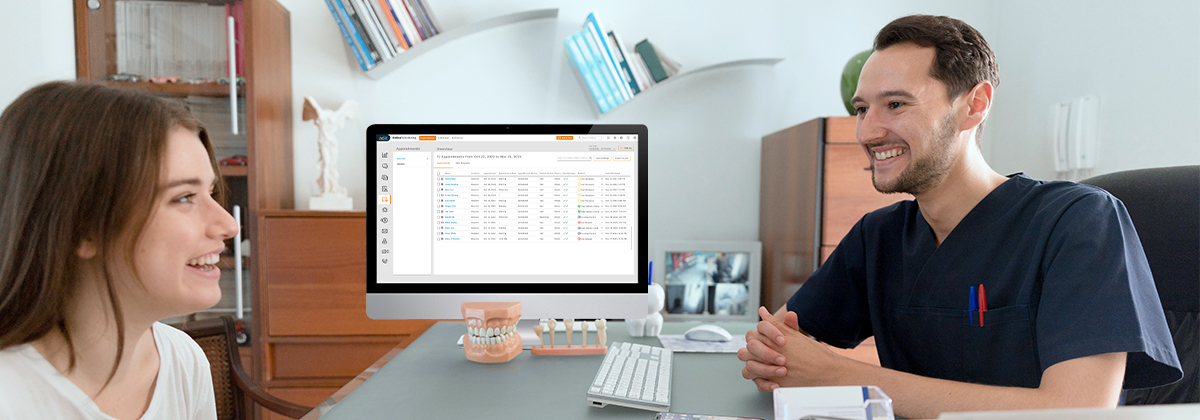
Your dental practice website may be attracting visitors through Google searches, social media, referrals, and online advertising. But getting visitors to your website is only part of the challenge. The bigger question is whether those visitors take the next step and contact your practice.
Imagine someone searching for a dentist, visiting your website, reviewing your services, and deciding they want to schedule an appointment. If they cannot easily find a booking option or have to wait until office hours to speak with someone, they may leave and consider another practice.
This is where online appointment booking can make a difference.
By connecting dental scheduling software with your website, you give potential patients another way to take action when they are interested in your services. Instead of making every visitor call the office, you can provide a more direct path from browsing to booking.
However, simply adding a booking button does not guarantee more appointments. The placement of that button, the surrounding content, mobile experience, and overall website design all influence whether visitors move forward.
In this article, we'll explore how dental practices can use online scheduling to improve website engagement, create better conversion opportunities, and turn more website visitors into potential patients.
Why Your Dental Website Needs an Online Booking Option
A dental website should do more than display your office address, services, and contact information. It should help visitors understand what your practice offers and make it easy for them to take the next step.
Consider how people typically browse a dental website. Someone might visit your teeth whitening page, another person might be researching dental implants, and a new patient might simply want to find a dentist accepting new patients.
Each visitor has a different reason for being there. But if they decide to schedule an appointment, they should have a clear way to do so.
An online booking option can support this process in several ways:
- Makes the next step easier: Visitors can access appointment booking without searching for contact details.
- Supports different schedules: People who browse your website outside office hours can still explore available booking options.
- Connects service information with action: Visitors reading about a specific treatment can move directly toward requesting an appointment.
- Creates another conversion opportunity: Patients who prefer digital interactions have an alternative to calling the office.
- Improves the website experience: A clear booking option helps visitors understand what action they can take next.
For dental practices investing in website development and digital marketing, online booking can help connect website activity with real appointment opportunities.
 Case Study
Growing without the pains: Granite Bay Pediatric Dentistry's 4X revenue growth in 2.5 years with Adit Are you a new dental practice or startup? Granite Bay Pediatric Dentistry’s rapid success is rare in the dental industry but common among...
Download Case Study
7 Ways Dental Scheduling Software Can Support Website Conversions
Online appointment booking should be part of a broader website experience. The following strategies can help dental practices make better use of their website visitors.
1. Add an Online Booking Widget to Important Website Pages
One of the simplest ways to make appointment booking more accessible is to add a booking widget or scheduling link to relevant pages.
Do not limit the booking option to your homepage. Visitors may enter your website through service pages, blog articles, location pages, or other landing pages.
For example:
- A visitor reading about dental implants should have a clear way to request an implant consultation.
- Someone exploring teeth whitening services should be able to find an appointment option without returning to the homepage.
- A new patient visiting your contact page should be able to take the next step without searching through several sections.
Place booking options where they make sense within the visitor's journey.
However, avoid displaying too many competing buttons. The goal is to make the next step obvious, not overwhelm visitors with calls to action.
2. Use Clear Calls to Action on Your Website
A call to action (CTA) tells visitors what to do next.
For a dental practice, common CTAs include:
- Book an Appointment
- Schedule Your Visit
- Request a Consultation
- Become a New Patient
- Find an Available Appointment
The wording should match the page's purpose.
For example, a dental implant page may use "Schedule an Implant Consultation," while a general contact page may use "Book an Appointment."
CTA placement also matters. Consider adding a booking button:
- In the website header
- Within relevant service pages
- Near the end of informative articles
- On the contact page
- In a visible section of the homepage
Test different CTA placements and wording to understand which options encourage more visitors to take action.
3. Make Appointment Booking Easy on Mobile Devices
A large portion of website browsing takes place on smartphones. Potential patients may search for a nearby dentist, compare services, and visit a practice website directly from their mobile devices.
If your website is difficult to navigate on a smaller screen, visitors may leave before reaching the booking option.
Review your mobile experience carefully.
Make sure:
- Booking buttons are easy to find and tap.
- Text and forms are readable without zooming.
- Important contact details are visible.
- The booking interface fits the screen properly.
- Visitors can complete the required actions without unnecessary steps.
- Pages load quickly and do not contain disruptive elements.
A mobile-friendly website should make it easy for someone to move from learning about your practice to taking the next step.
4. Connect Service Pages With Relevant Appointment Options
Not every website visitor is looking for the same dental service.
Some may be interested in preventive care, while others may be researching cosmetic treatments, restorative procedures, or orthodontic services.
Your website should reflect these different needs.
For example, a dental practice can include relevant booking CTAs on pages covering:
- General Dentistry: Encourage visitors to schedule routine dental visits or consultations.
- Cosmetic Dentistry: Provide a clear option to request a consultation about cosmetic treatment.
- Dental Implants: Direct interested visitors toward an implant consultation.
- Orthodontics: Make it easy for visitors to request an orthodontic evaluation.
- Emergency Dental Care: Display clear contact instructions for patients who need urgent assistance.
The appointment option should match the service being discussed. If a procedure requires an initial consultation or staff review, make that clear rather than implying that every visitor can book the treatment directly.
This approach creates a more relevant connection between the information visitors are reading and the action they can take.
5. Use Blog Content to Guide Interested Visitors Toward Booking
Dental blogs can help answer common patient questions and explain different treatments.
For example, someone reading about the importance of routine dental examinations may be considering scheduling a checkup. A visitor researching teeth whitening may want to understand whether the treatment is suitable for them.
Your blog content should provide useful information first. Then, where appropriate, give readers a relevant next step.
Examples include:
| Blog topic | Relevant call to action |
|---|---|
| Benefits of Routine Dental Checkups | Schedule a Dental Examination |
| What to Expect During a Root Canal | Request a Consultation |
| Professional Teeth Whitening vs. At-Home Kits | Book a Cosmetic Dentistry Consultation |
| Signs You May Need a Dental Crown | Discuss Your Treatment Options |
| How Often Should You Visit a Dentist? | Schedule Your Next Dental Visit |
Avoid adding the same generic booking message after every paragraph. Place CTAs naturally where readers are likely to need more information or want to take action.
The objective is to help visitors move from researching a dental concern to contacting a qualified dental professional.
6. Create Consistent Booking Opportunities Across Digital Channels
Your dental website is not the only place where potential patients discover your practice.
Visitors may also find you through social media, email campaigns, Google Business Profile, or online advertisements.
Make sure these channels provide a consistent route to your appointment booking page.
For example:
- Add the booking link to relevant social media profiles.
- Include a scheduling CTA in appropriate email campaigns.
- Use a clear appointment link in your Google Business Profile where supported.
- Direct paid campaign visitors to a relevant service or booking page.
- Make sure location-specific campaigns lead to the correct practice location.
Consistency matters. If a patient clicks a booking link from a campaign, they should reach a page that clearly reflects the service or location promoted in that campaign.
7. Use Website and Booking Data to Identify Conversion Opportunities
Website traffic alone does not explain how effectively your website generates appointment opportunities.
A practice may receive substantial traffic but still struggle to turn visitors into inquiries or bookings.
To understand what is happening, track relevant website and booking activity.
Some useful measurements include:
- Website sessions and users
- Visits to service pages
- Clicks on appointment CTAs
- Clicks on phone numbers
- Booking widget interactions
- Booking form submissions
- Confirmed appointment bookings, where tracking is available
- Conversion rates by landing page
For example, if a dental implant page receives strong organic traffic but very few appointment CTA clicks, review the page's content, CTA placement, and booking experience.
If visitors click the booking button but do not complete the process, investigate whether the booking experience is difficult to use or whether the next steps are unclear.
Use this information to identify specific improvements instead of making website changes based only on assumptions.
How to Measure Website Performance and Appointment Bookings
Getting visitors to your dental website is important, but understanding whether those visitors turn into appointments is equally valuable.
Dental practices should evaluate both website performance and actual booking activity. These measurements provide different insights and should be reviewed together.
1. Use Adit Analytics to Understand Booking Performance
Adit's Practice analytics capabilities can help dental practices review appointment and booking-related performance using the data available within the platform.
This helps practices understand how their scheduling activity is performing and evaluate appointment-related trends.
Depending on the analytics and reporting features available in your Adit setup, useful measurements may include:
- Appointment bookings
- Booking activity over time
- Appointment trends
- Scheduling performance
Use the available Adit reports as the source of truth for booking data captured within the platform.
2. Use Google Analytics 4 to Understand Website Performance
While Adit helps you understand booking activity, Google Analytics 4 helps you understand how visitors interact with your website.
For example, you can review:
- Website sessions and users
- Organic traffic to individual service pages
- Traffic sources and marketing channels
- Appointment CTA clicks, when configured
- Booking page visits and other website interactions
This information helps identify which pages attract visitors and where website improvements may be needed.
3. Use Google Tag Manager to Track Important Website Interactions
Google Tag Manager can be used to measure specific actions visitors take before reaching the booking process.
For example, your team can configure events to track:
- Appointment CTA clicks
- Booking widget opens
- Clicks on phone numbers
- Visits to appointment booking pages
These events help you understand whether visitors are interacting with the booking options available on your website.
However, a booking button click should not be treated as a confirmed appointment. Use Adit's booking data to evaluate actual bookings.
4. Review Website and Booking Data Together
The real value comes from reviewing website performance alongside booking performance.
For example:
- If a dental implants page receives strong organic traffic but few appointment CTA clicks, review its content and calls to action.
- If visitors frequently click the booking option but booking activity remains low, investigate the booking journey.
- If a particular landing page attracts visitors and contributes to booking activity, consider improving and expanding that page.
This approach helps dental practices make better decisions about website optimization and patient acquisition.
Connect Booking Activity With the Original Website Page
One particularly useful measurement is understanding which website page initiated the booking journey.
For example, a visitor might land on your dental implants page, click the booking CTA, and complete an appointment request through an external scheduling interface.
If the tracking setup preserves the original page information, your team can identify which pages contribute to appointment activity.
This can help answer questions such as:
- Which service pages generate the most appointment requests?
- Which landing pages receive traffic but generate few booking interactions?
- Are visitors more likely to book from the homepage or service pages?
- Which campaigns bring visitors who actually schedule appointments?
When booking happens through a popup or third-party platform, make sure the original page URL or landing-page information is passed through the tracking process. Also check that conversion events are not counted more than once.
For appointment forms that collect personal or health-related information, avoid sending patient names, phone numbers, email addresses, appointment details, or other protected information to GA4 or advertising analytics platforms. Track suitable event metadata without exposing sensitive information.
Common Website Booking Mistakes Dental Practices Should Avoid
Adding an online scheduling option does not automatically improve website conversions. Certain website issues can make the process less effective.
1. Hiding the Booking Button
If visitors cannot quickly find the appointment option, they may leave without taking action.
Keep your primary CTA visible in important sections of the website.
2. Using Generic Calls to Action
A button that simply says "Click Here" does not tell visitors what will happen next.
Use descriptive wording such as "Book an Appointment" or "Request a Consultation."
3. Sending Every Visitor to the Same Booking Destination
A visitor interested in orthodontics may not want to navigate through a general booking page to find the relevant option.
Where possible, connect service-specific pages with the appropriate booking destination or appointment category.
4. Ignoring Mobile Usability
A booking option that works well on a desktop but is difficult to use on a smartphone can create unnecessary friction.
Test the full booking journey on mobile devices.
5. Measuring Clicks Instead of Completed Conversions
A CTA click is not the same as a confirmed appointment.
Track the stages of the booking journey separately so your team can identify where visitors stop.
How Adit Supports Dental Patient Communication and Appointment Scheduling
A website can introduce potential patients to your practice, but the communication experience should continue after they decide to get in touch.
Adit offers patient communication platform capabilities for dental practices, including online scheduling, two-way patient messaging, Adit Voice, and AI-powered communication tools.
These capabilities can support different parts of the patient interaction process:
- Online Scheduling: Provides an online appointment booking option for patients.
- Adit Engage: Supports patient communication through messaging and campaigns.
- Adit Voice: Provides a cloud-based phone system for dental practices.
- AI Front Desk: Supports front-desk communication workflows.
- AI Web Chat: Provides another channel for website visitors to interact with the practice.
The aim is to help dental practices connect appointment-related interactions with their broader patient communication workflows.
Adit integrates with dental practice management systems and supports patient engagement tool. It is not a replacement for a dental PMS or EHR.
If your practice wants to improve how website visitors connect with your team and access appointment-related services, explore how Adit's communication and scheduling capabilities can fit into your existing setup.
Final Thoughts
A dental practice website should not simply attract visitors. It should help them understand your services, build confidence in your practice, and take the next step when they are ready.
Online appointment booking can support that journey by providing a direct connection between website content and appointment opportunities.
Start by reviewing your most important service pages. Check whether visitors can easily find the booking option, whether the experience works on mobile devices, and whether you can measure the interactions that lead to appointment requests.
When website design, useful content, clear calls to action, and online scheduling work together, your dental website can become a more effective channel for generating patient inquiries and appointment opportunities.
Frequently Asked Questions
1) Can dental scheduling software be added to a dental practice website?
Yes. Depending on the platform, online scheduling can be connected to a dental website through an embedded booking widget, scheduling link, or booking page. The implementation should be tested on desktop and mobile devices.
2) Does online appointment booking help dental websites generate more appointments?
It can create an additional way for visitors to take action without calling the office. However, actual appointment growth depends on several factors, including website traffic quality, page relevance, booking usability, appointment availability, and how the practice handles requests.
3) Where should a dental practice place its online booking button?
Consider placing the booking CTA in the website header, homepage, relevant service pages, contact page, and other high-intent sections. The placement should make sense within the visitor's journey without overwhelming the page.
4) What is a dental website booking widget?
A dental website booking widget is an embedded scheduling interface that allows visitors to access appointment booking from a practice website. Depending on the setup, patients may be able to select an appointment type, view availability, and submit a booking request.
more about Adit?
Say goodbye to the hassle of using multiple tools. Adit centralizes your calls, texts, payments, reviews, and scheduling into one powerful dashboard. Simplify your operations and boost patient satisfaction today.
Schedule a Demo



Josh has made a career working with large DSO organizations and leveraging his extensive sales experience to build partnerships with influential doctors and organizations within the dental industry. He travels the US as an expert guest speaker in medical seminars teaching doctors how to streamline their practices with the latest technology.

Get a $25 Gift Card when you take a demo
Schedule a Demo
Get a $50 Gift Card
when you take a demo

Every missed call costs you!
3 quick questions. One eye-opening estimate.
Your estimate
if your average is higher.
The production that you missed in this year
$29,000 – $42,000production back?

*Offer valid Nov 1–30, 2026. Your account executive sends the $50 Amazon gift card after your demo. The additional $150 applies when you sign up for an annual plan paid upfront. Terms apply.
Looks like you're out of bounds!
Hey there! Your current location falls outside Adit's area of operation. If this is unexpected, try disabling your VPN and refresh your page. For further assistance or to book a live demo, connect with us at 832-225-8865.
November 14 Amazon Demo Promo
Terms and Conditions
Last Updated: November 14, 2026Offer ends November 17, 2026, and is limited to prospective customers who sign an annual agreement before November 30, 2026. Gift card will be emailed to the company owner or established representative within 4 weeks of signing the annual agreement. Offer may not be combined with any other offers and is limited to one (1) gift card per office. Offer is not available to current customers or to prospective customers or individuals that have participated in a Adit demo during the prior six (6) months. Recipient is responsible for all taxes and fees associated with receipt and/or use of the gift card as well as reporting the receipt of the gift card as required under applicable federal and state laws. Adit is not responsible for and will not replace the gift card if it is lost or damaged, is not used within any applicable timeframe, or is misused by the recipient. Adit is not responsible for any injury or damage to persons or property which may be caused, directly or indirectly, in whole or in part, from the recipient’s participation in the promotion or receipt or use of the gift card. Recipient agrees to indemnify, defend and hold harmless Adit from and against any and all claims, expenses, and liabilities (including reasonable attorney’s fees) arising out of or relating to a recipient’s participation in the promotion and/or recipient’s acceptance, use or misuse of the gift card. This offer is sponsored by Adit Communications, Inc. and is in no way sponsored, endorsed or administered by, or associated with Amazon.

Thank You!
We appreciate your interest! Adit AI will be calling you in the next few minutes!


Why Adit?
Cut your software bill by up to 60% when you merge everything your dental office needs to run under one roof.

Centralize Communications
- Phones & TeleMed
- Emails & eFax
- Texting & Reminders
- Call Tracking and more!

Streamline Operations
- Patient Forms
- Online Scheduling
- Payments
- Reviews and more!

Boost Production
- Performance Dashboards
- Morning Huddle
- Claims & Collections
- Patient Profiles
- Follow Up Lists
- Year Over Year Metrics

Acquire More Patients
- Digital Marketing
- Website Design
- SEO
- Google Ads
- Facebook Ads
 Front Desk free for life when you sign up!
+ $50 Amazon Gift Card
Sign up by filling out the form